Connecting a program to live online data is a major milestone for any developer, and a weather app is one of the best ways to learn this skill with Python. It teaches how to call web APIs, read JSON data, and handle errors gracefully.
This guide, titled “Weather Application,” walks you step by step through building a program that fetches the current weather for any city from an online service and displays it clearly.


Overview of The Document
The Weather Application guide is an intermediate-level tutorial that takes you from an empty file to a working weather app. It is written in clear, plain English and organized into eight focused steps.
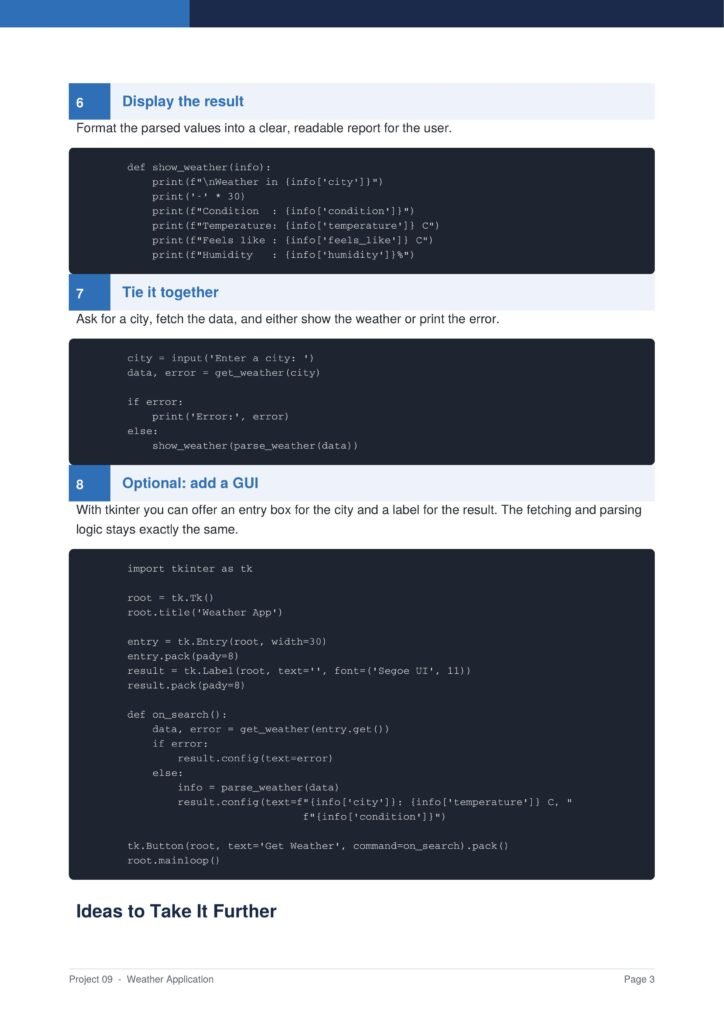
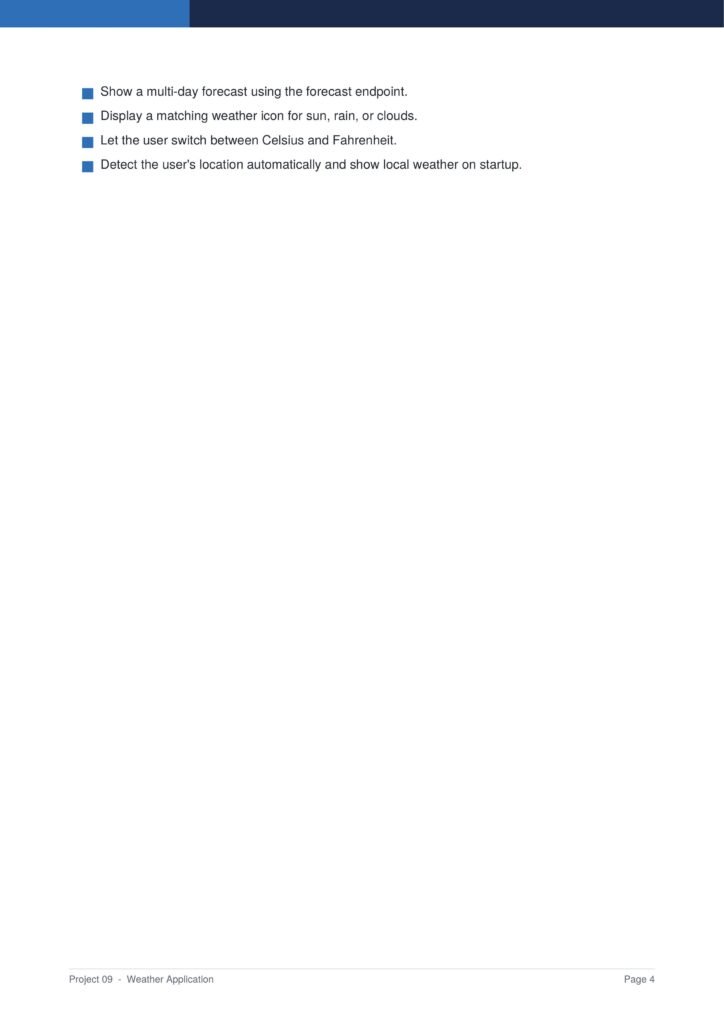
The guide first builds a console version and then optionally adds a graphical interface, showing how the same data logic can power different front ends.
The Content Of The Document
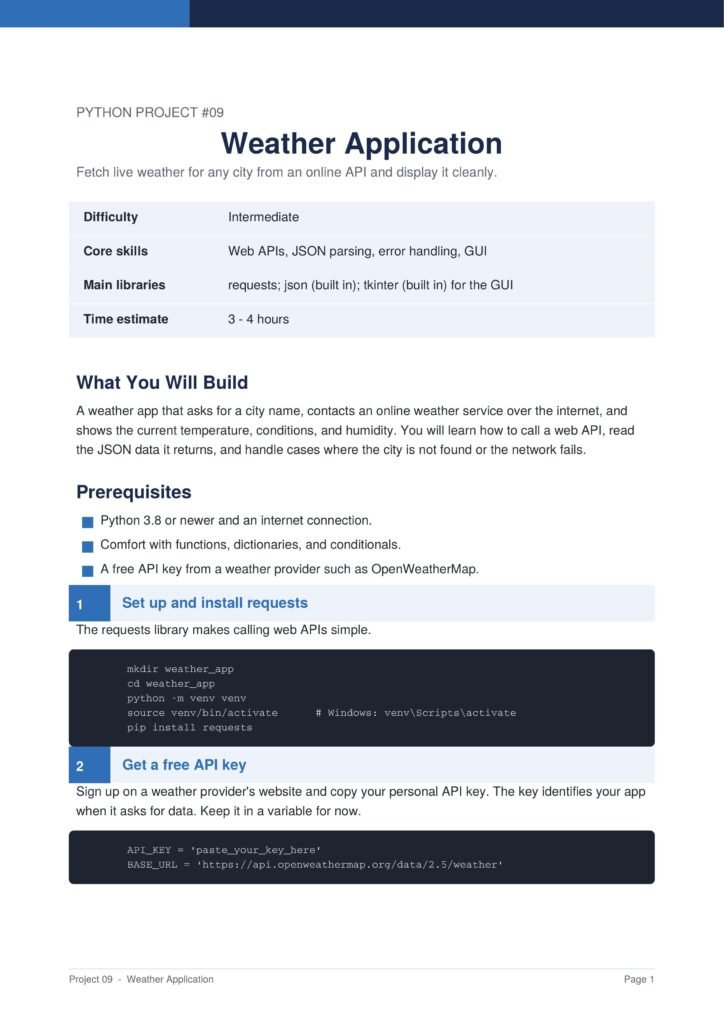
a. Installing requests and Getting an API Key
The guide begins by installing the requests library and explaining how to obtain a free API key from a weather provider.
b. Building the Request
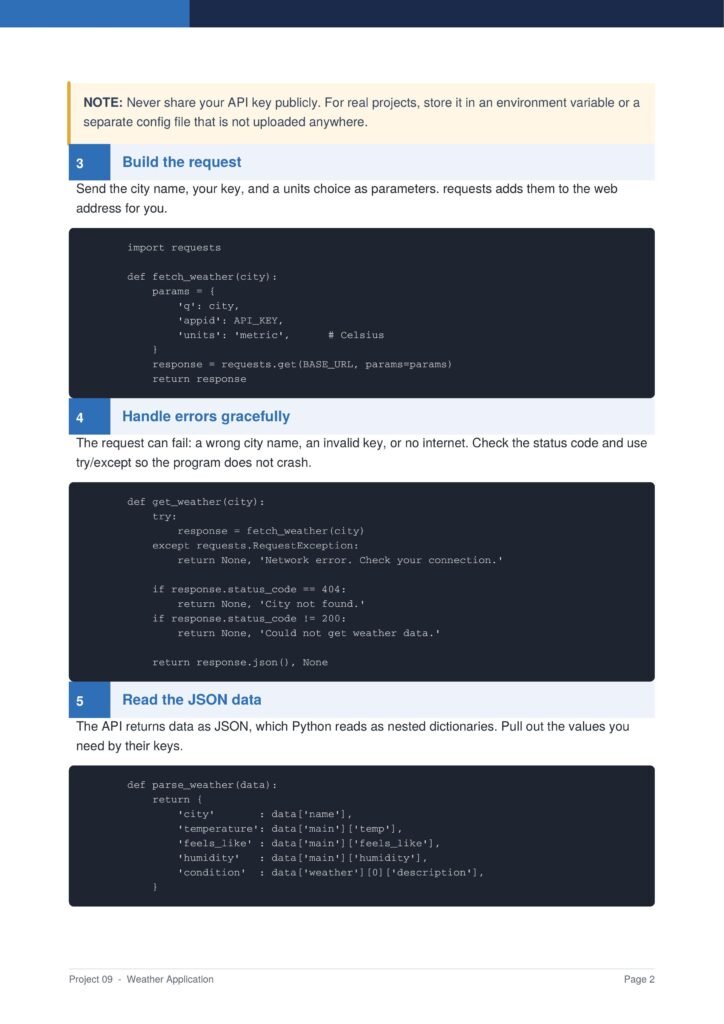
You learn how to send the city name, your key, and a units choice as parameters to the weather service.
c. Handling Errors Gracefully
The document shows how to handle a wrong city name, an invalid key, or no internet connection so the program never crashes.
d. Reading the JSON Data
You learn how to read the JSON response and extract the temperature, conditions, and humidity from the nested data.
e. Displaying and Adding a GUI
The guide formats the result into a clear report and shows how to optionally add a graphical interface with tkinter.
Why This Document
a. Teaches Web API Skills
This document is valuable because it teaches how to work with web APIs, a fundamental skill for connecting programs to the wider internet.
b. Real Error Handling
The guide covers proper error handling, an essential habit for building programs that behave reliably in the real world.
c. A Practical, Live Project
Because the app shows real, up-to-date weather, the project feels alive and useful, keeping motivation high throughout.
Conclusion
The “Weather Application” project is a practical and rewarding introduction to working with online data. By following the guide, you learn how to call a web API, build requests, handle errors, parse JSON, and display results. The result is a real app that shows live weather for any city. If you want a project that connects your code to the wider internet, this clear step-by-step guide is an excellent choice.
Download From The Below Link
To start building your own weather application today, you can download the Weather Application PDF guide and follow every step at your own pace. Happy coding!