Sticky notes are one of the simplest tools for staying organized, and recreating them as a desktop application is a perfect first project for anyone learning Python. Building a small note window that stays visible on your screen teaches real desktop development skills in a fun and rewarding way.
This guide, titled “Pin Your Note,” walks you step by step through building an always-on-top sticky-note app that saves your reminders automatically, so they are always there when you need them.

Overview of The Document
The Pin Your Note guide is a beginner-friendly tutorial that takes you from an empty file to a working desktop sticky-note application. It is written in clear, plain English and organized into eight focused steps that each build on the last.
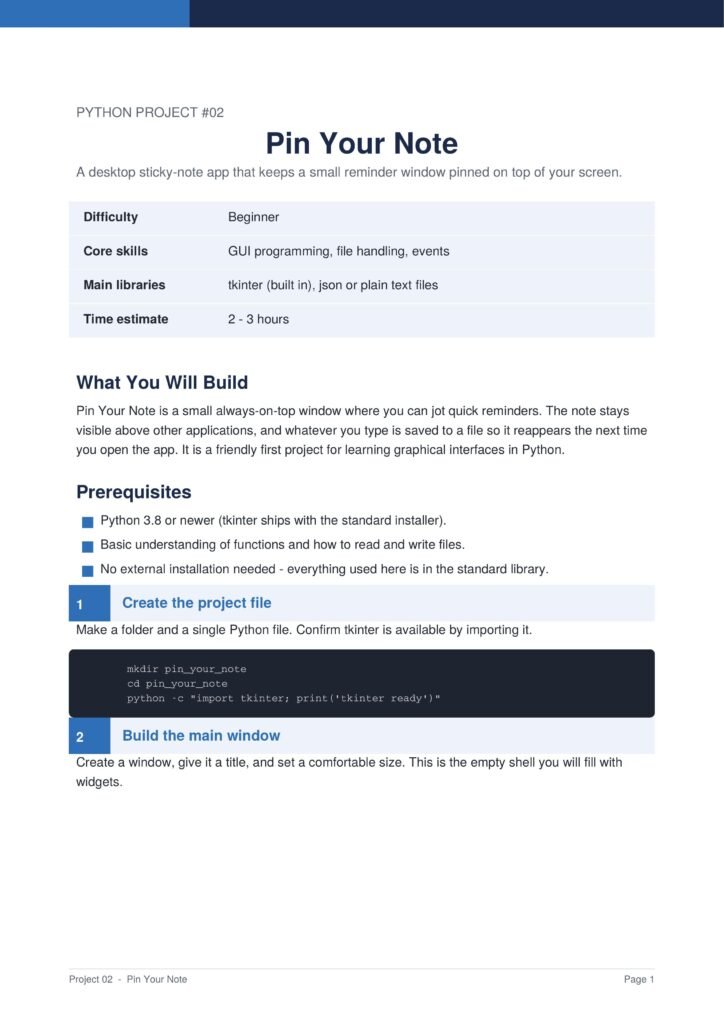
Because the project uses only Python’s built-in tkinter library, there is nothing extra to install, making it an ideal choice for absolute beginners who want to move beyond console programs into visual applications.
The Content Of The Document
a. Creating the Main Window
The guide starts by confirming tkinter is available, then walks you through creating a simple window with a title and a comfortable size, styled in a familiar sticky-note yellow.
b. Pinning the Window on Top
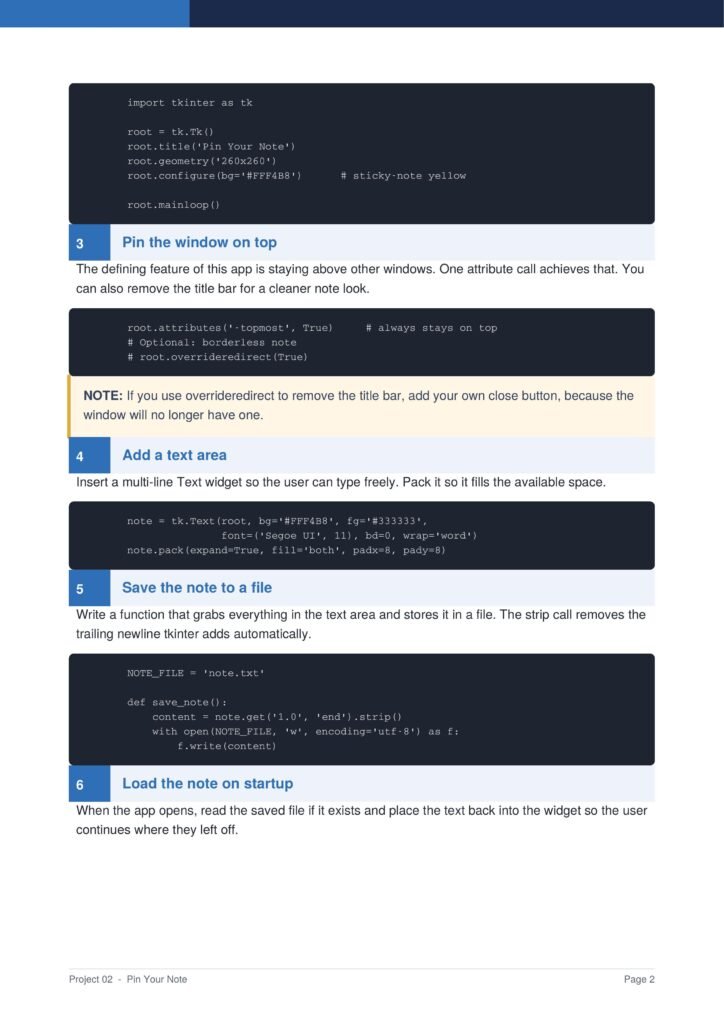
You learn the defining feature of the app, keeping the window always above other applications, with a single attribute call, and how to optionally remove the title bar for a cleaner note look.
c. Adding a Text Area
The document shows how to add a multi-line text widget where the user can type freely, packed so it fills the available space in the note window.
d. Saving and Loading Notes
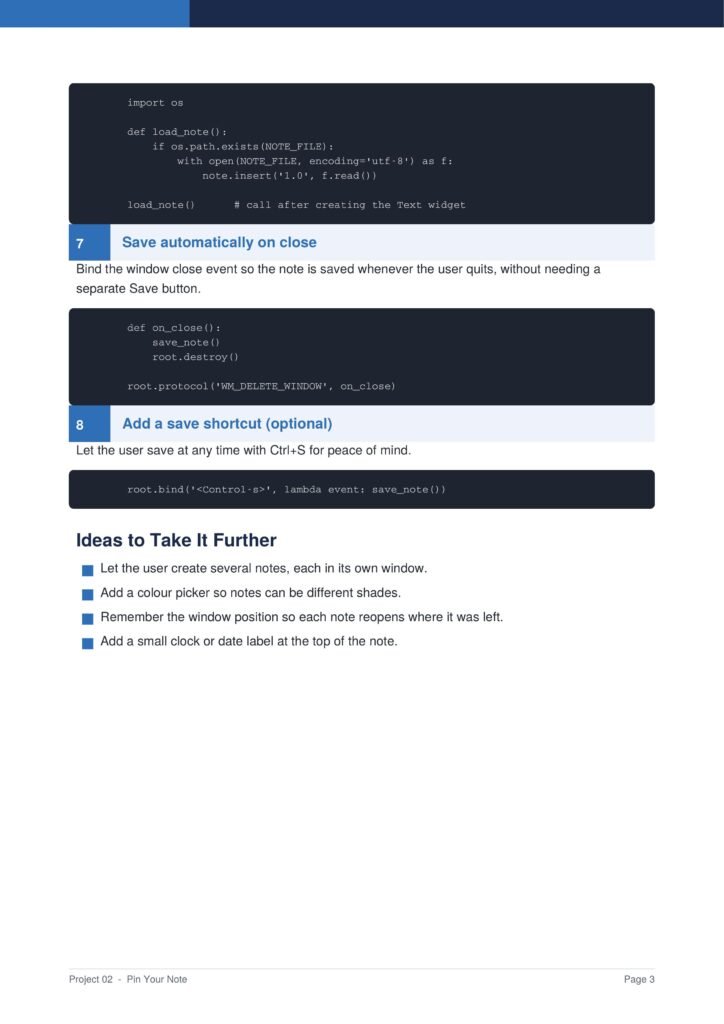
You learn file handling in detail: writing the note content to a file, reading it back when the app starts, and binding the close event so the note saves automatically without a separate button.
e. Keyboard Shortcuts
The guide adds a convenient Ctrl+S shortcut for saving at any time, giving the small app a professional and responsive feel.
Why This Document
a. Teaches Real GUI Concepts
This document is valuable because it teaches real graphical user interface concepts through a project that is genuinely useful in daily life, bridging the gap between console and visual programs.
b. Explains Before Coding
Every step is explained before the code is shown, so you learn the reasoning behind event-driven programming, widgets, and file persistence rather than just copying lines.
c. A Confidence-Building Project
Because the finished app is something you will actually want to use, motivation stays high, making this a confidence-building project that prepares you for larger desktop applications.
Conclusion
The “Pin Your Note” project proves that a beginner project can be both educational and practical. By following the guide, you learn how to create windows, manage widgets, handle events, and save data to files, all essential skills for desktop development in Python. The result is a polished little tool that keeps your reminders visible and saved. If you are ready to take your first step beyond the console and into graphical applications, this clear and well-structured guide is an ideal place to begin.
Download From The Below Link
To build your own pinned sticky-note app today, you can download the Pin Your Note PDF guide and follow every step at your own pace. Happy coding!