A calculator is one of the most rewarding first projects in programming, and building one teaches the fundamentals of Python in a clear and practical way. It covers functions, conditionals, and graphical interface design.
This guide, titled “Simple Calculator,” walks you step by step through building a calculator that performs the four basic operations, including a full graphical version.

Overview of The Document
The Simple Calculator guide is a beginner-friendly tutorial that takes you from an empty file to a working calculator. It is written in clear, plain English and organized into eight focused steps.
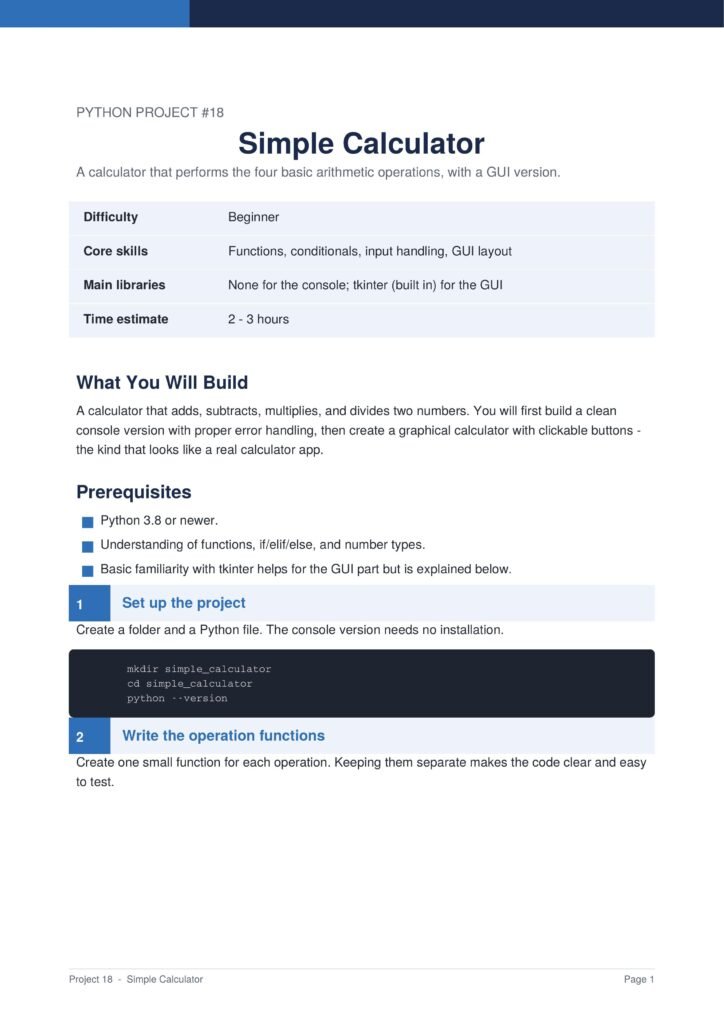
The guide first builds a clean console version with proper error handling, then creates a graphical calculator with clickable buttons.
The Content Of The Document
a. Writing the Operation Functions
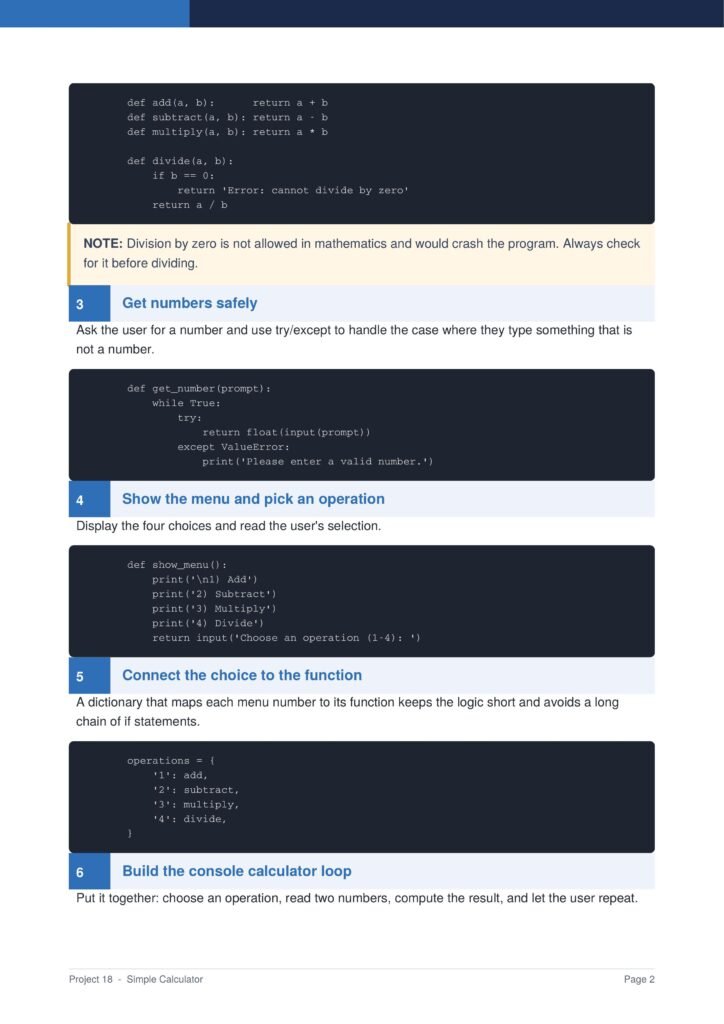
The guide begins by creating a small function for each operation, keeping the code clean and easy to test.
b. Getting Numbers Safely
You learn how to read numbers safely and handle the case where the user types something that is not a number.
c. Building the Console Calculator
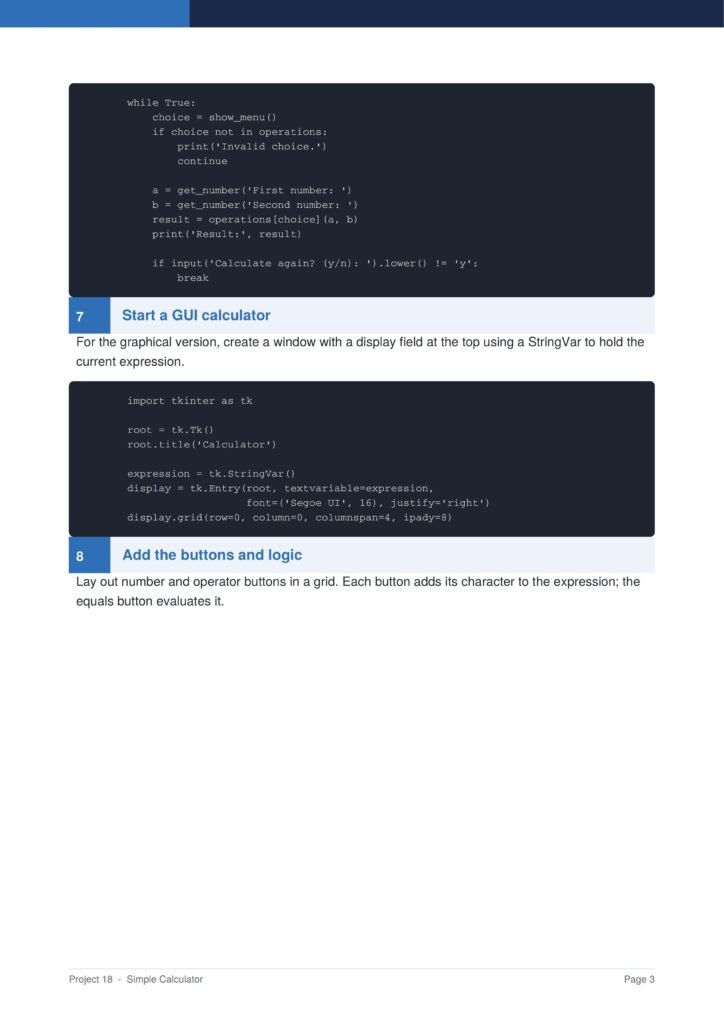
The document shows how to build a menu, connect choices to functions with a dictionary, and run a calculation loop.
d. Starting the GUI Version
You learn how to create a window with a display field that holds the current expression for the graphical calculator.
e. Adding Buttons and Logic
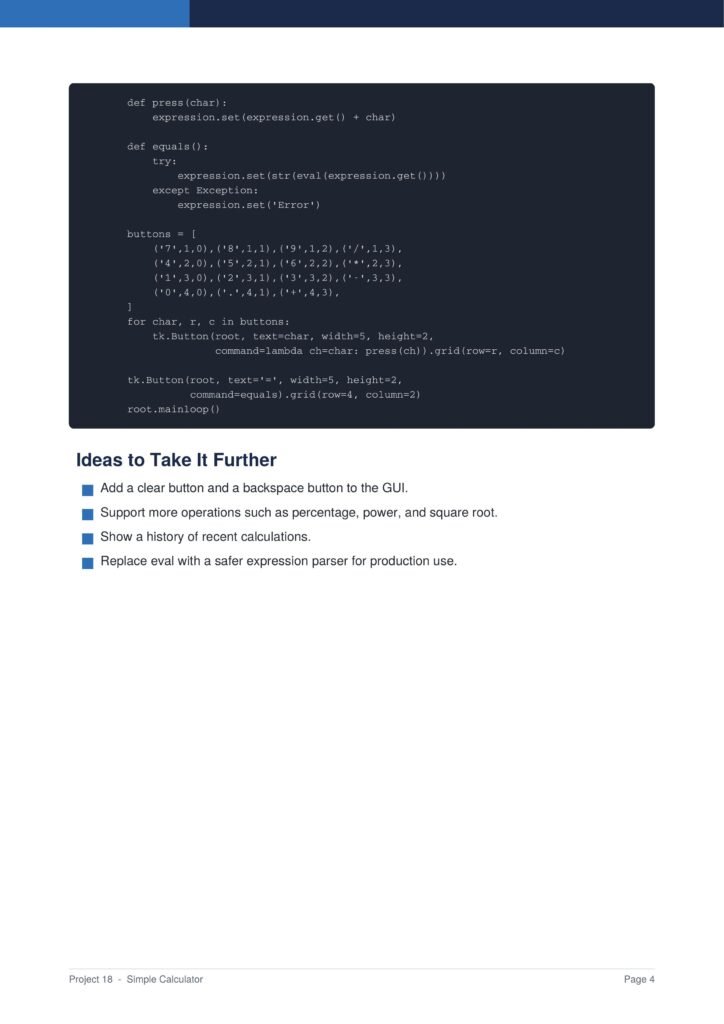
The guide shows how to lay out number and operator buttons in a grid and connect them to the calculator logic.
Why This Document
a. Teaches Clean Code
This document is valuable because it teaches how to write clean, organized code by separating each operation into its own function.
b. Two Versions in One Project
By building both a console and a graphical calculator, you learn how the same logic can power very different interfaces.
c. A Classic Confidence Builder
The finished calculator looks and feels like a real app, making it a satisfying and confidence-building project.
Conclusion
The “Simple Calculator” project is a classic and rewarding way to learn the fundamentals of Python. By following the guide, you learn how to write operation functions, handle input safely, build a console menu, and create a graphical calculator. The result is a real app you can use every day. If you want a satisfying beginner project, this clear step-by-step guide is an excellent choice.
Download From The Below Link
To start building your own simple calculator today, you can download the Simple Calculator PDF guide and follow every step at your own pace. Happy coding!