Capturing the screen from your own program is a handy skill, and building a screenshot tool is a quick automation project with Python. It teaches image capture and file naming.
This guide, titled “Screenshot Tool,” walks you step by step through building a tool that takes screenshots and saves them with clear, unique names.


Overview of The Document
The Screenshot Tool guide is a beginner-friendly tutorial that takes you from an empty file to a working screenshot tool. It is written in clear, plain English and organized into eight focused steps.
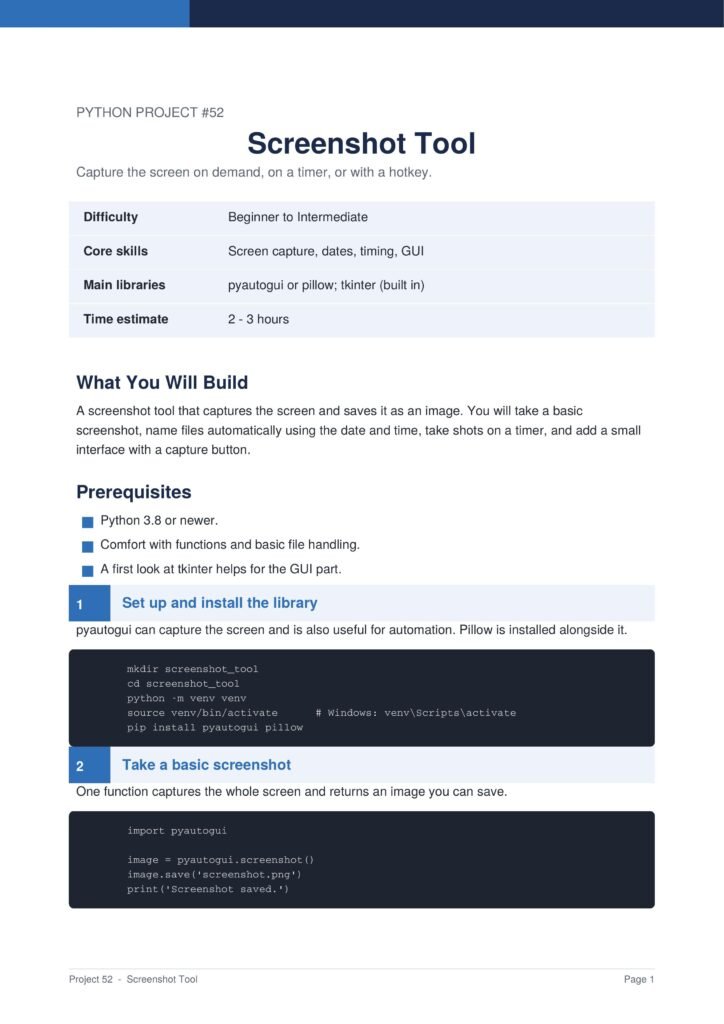
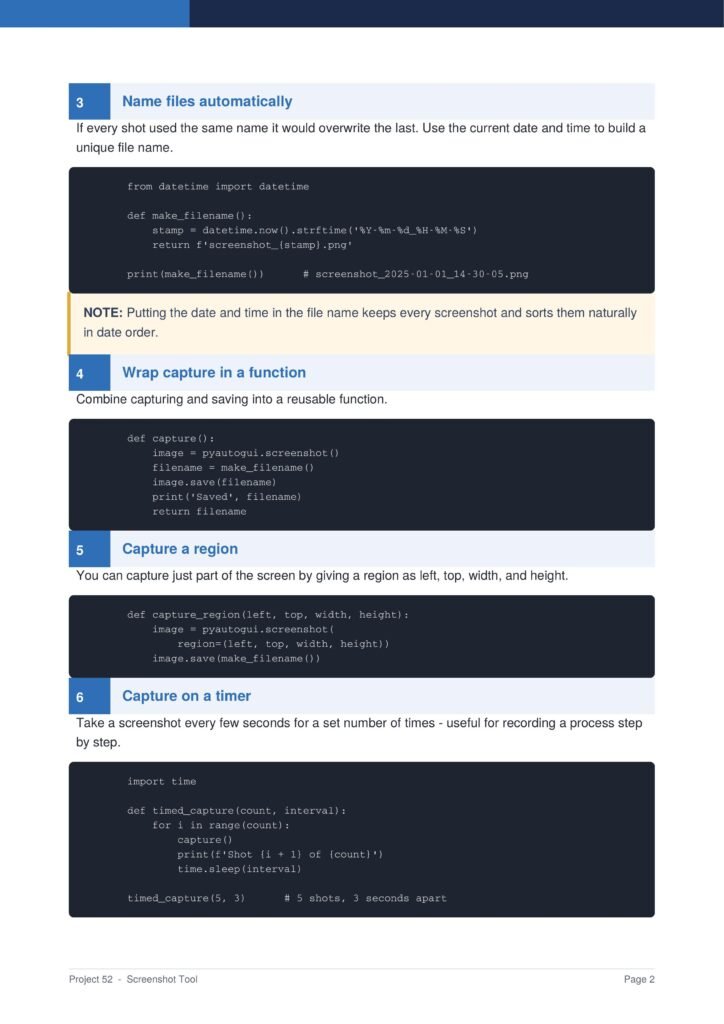
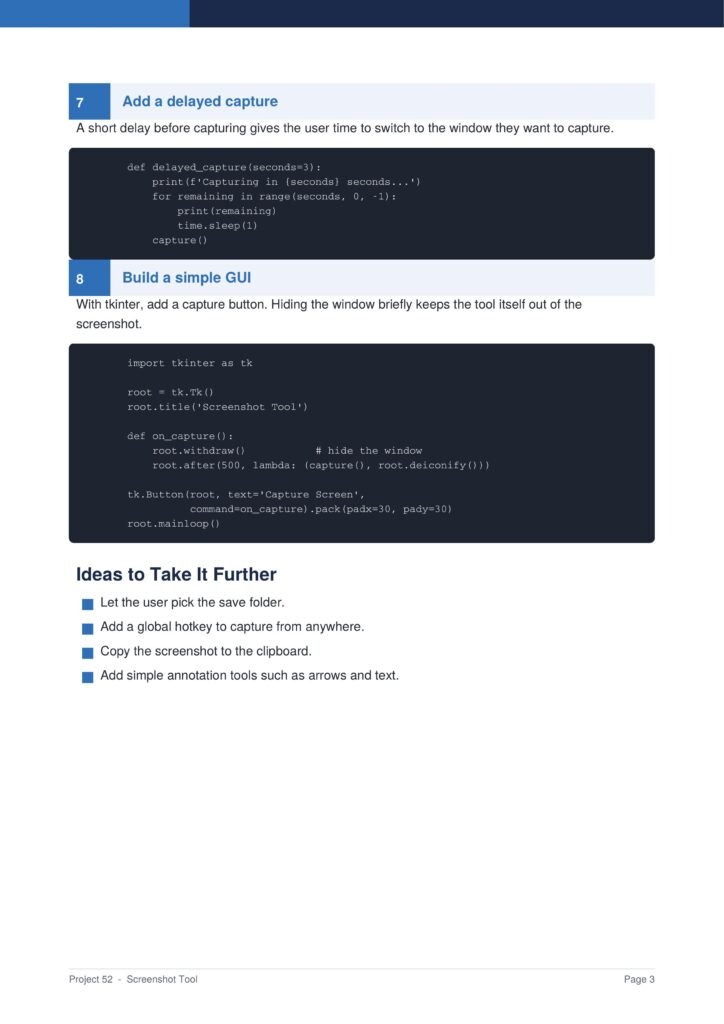
The project uses the pyautogui library and shows how to optionally add a graphical button.
The Content Of The Document
a. Installing pyautogui
The guide begins by installing pyautogui, the library that lets Python capture the screen.
b. Taking a Screenshot
You learn how to capture the whole screen and save the image as a picture file.
c. Naming Files by Time
The document shows how to name each screenshot with the current date and time so files never overwrite.
d. Capturing a Region
You learn how to capture just a chosen area of the screen instead of the whole display.
e. Adding Timed Captures
The guide shows how to add a delay or take screenshots automatically at regular intervals.
Why This Document
a. A Quick, Useful Project
This document is valuable because it is quick to build yet produces a tool you will actually use.
b. Teaches Smart File Naming
The guide teaches timestamp-based file naming, a smart habit that prevents files from being overwritten.
c. Introduces Screen Automation
The project introduces screen automation, opening the door to many other useful automation ideas.
Conclusion
The “Screenshot Tool” project is a quick and practical introduction to screen automation. By following the guide, you learn how to install pyautogui, take screenshots, name files by time, capture a region, and add timed captures. The result is a real tool you will use often. If you want a fast and useful project, this clear step-by-step guide is an excellent choice.
Download From The Below Link
To start building your own screenshot tool today, you can download the Screenshot Tool PDF guide and follow every step at your own pace. Happy coding!