Monday, May 18, 2026
  • About
  • Advertise
  • Careers
  • Contact
Connect 4 Programming
  • Home
  • Python
  • Java
  • SQL
  • JavaScript
  • HTML
  • Data Structure
  • GIT
  • OOP
  • Interview Questions
  • Login
No Result
View All Result
Connect 4 Prog
Home Python

Scientific Calculator with History Py Project Guide

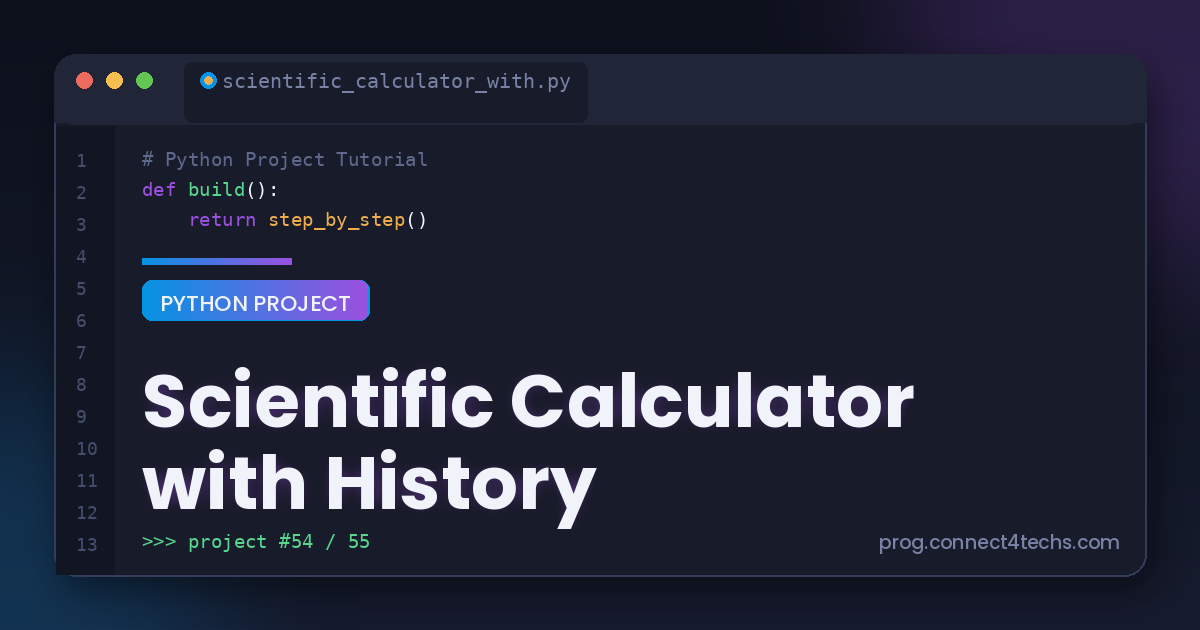
Scientific Calculator with History Python project tutorial

#image_title

A scientific calculator with a history log is a substantial project that brings together math, interface design, and file handling with Python. It builds on the basic calculator with advanced features.

This guide, titled “Scientific Calculator with History,” walks you step by step through building a calculator that handles advanced functions and remembers past calculations.

Related posts

Contact Book Application Python project tutorial

Contact Book Application Py Project Guide

May 18, 2026
Typing Speed Test Python project tutorial

Typing Speed Test Py Project Guide

May 18, 2026

Overview of The Document

The Scientific Calculator with History guide is an intermediate-level tutorial that takes you from an empty file to a full-featured calculator. It is written in clear, plain English and organized into eight focused steps.
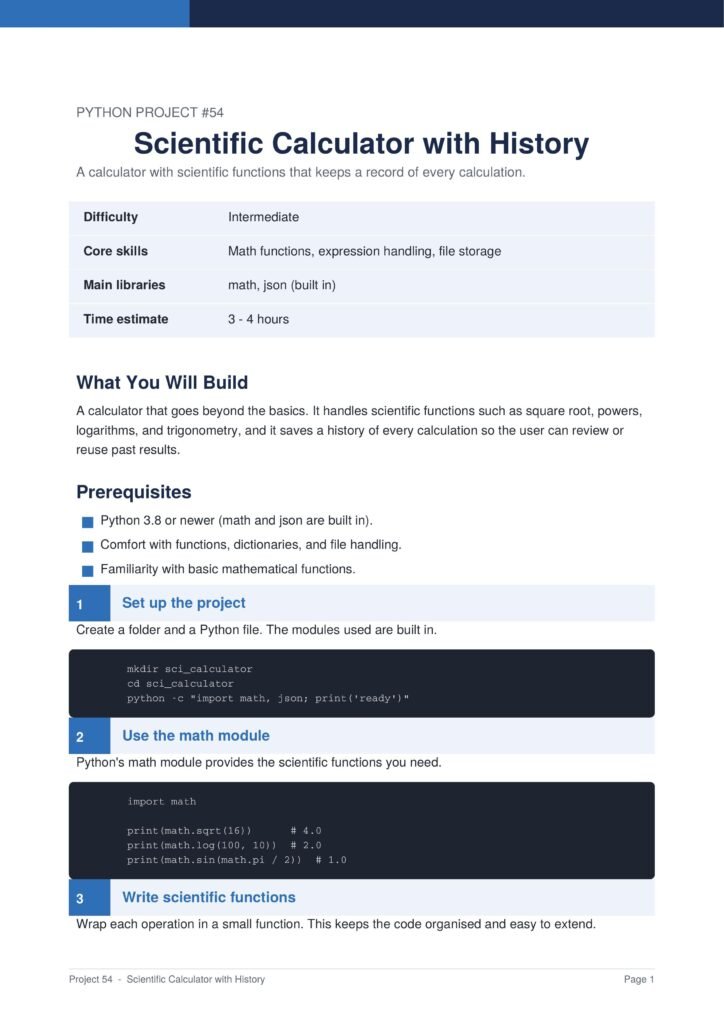
Title slide for Python Project #54: 'Scientific Calculator with History' with a small table showing Difficulty, Core skills, Main libraries, and Time estimate.
Scientific Calculator with History Py Project Guide 1
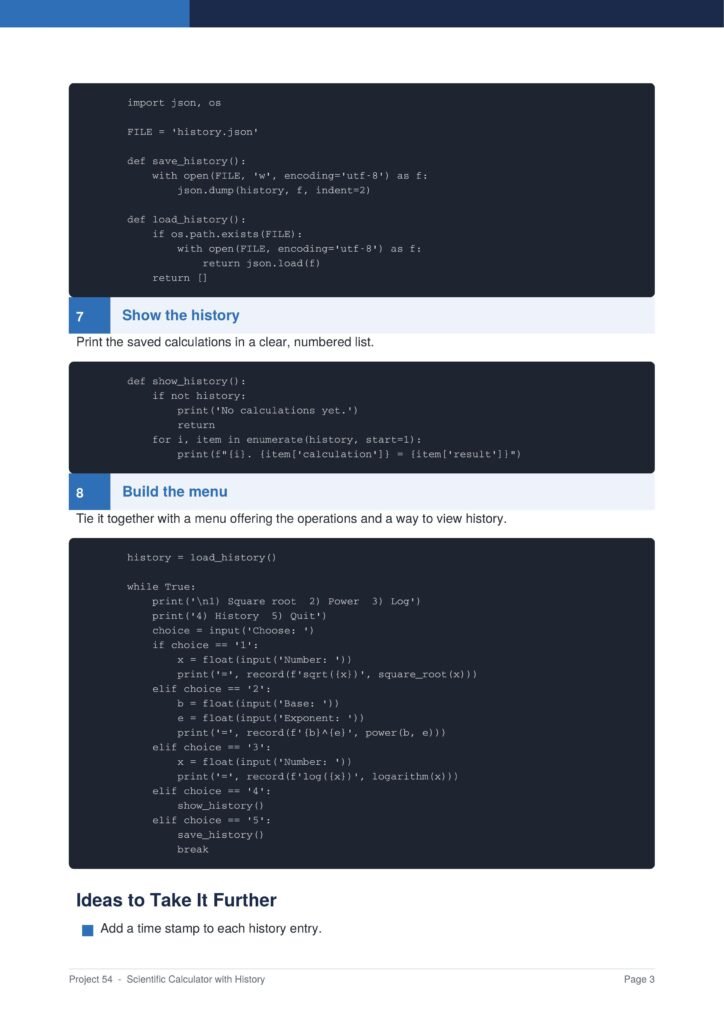
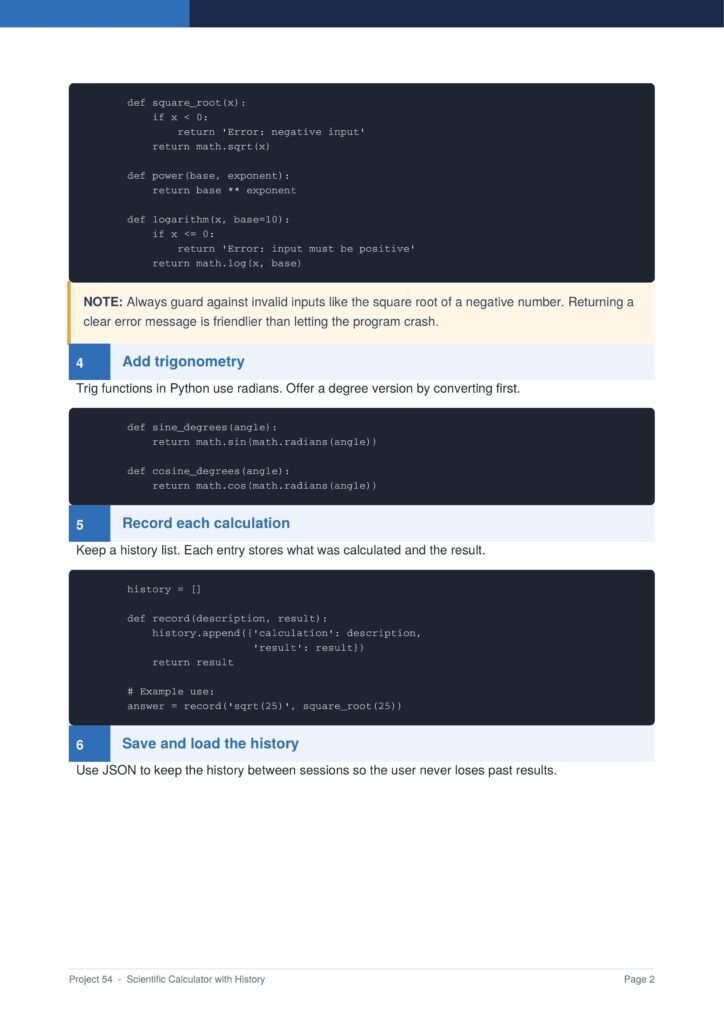
Screenshot of a tutorial page showing Python code blocks for math functions (square_root, power, log) with a note and section 4 Add trig functions.
Scientific Calculator with History Py Project Guide 2
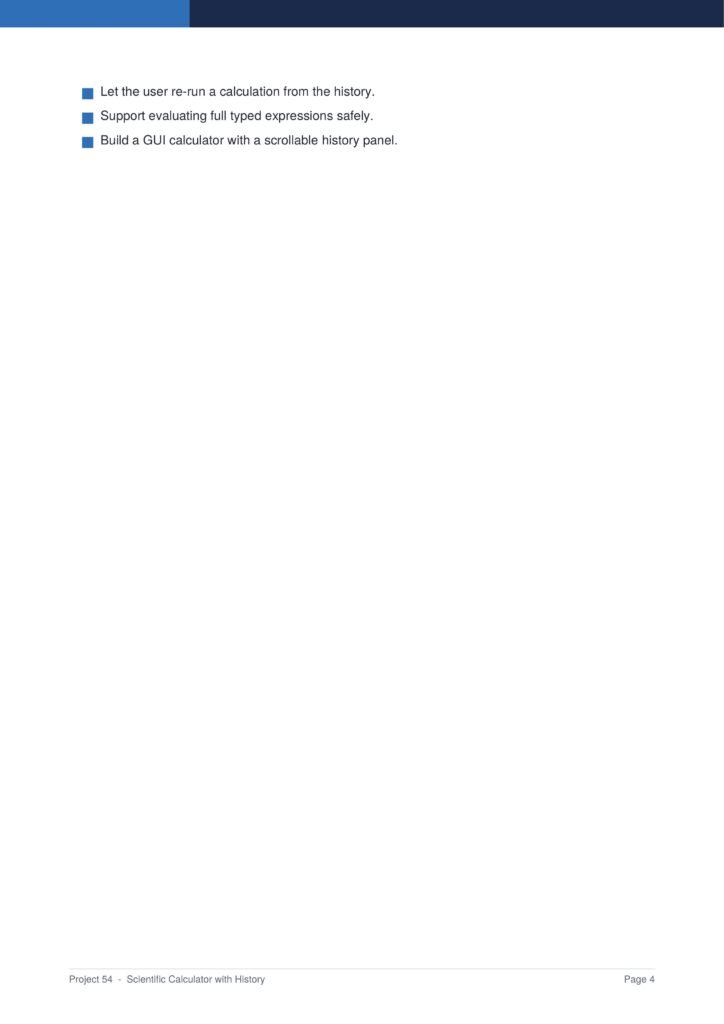
Code-focused page showing Python functions like save_history and load_history with a 'Show the history' section in a tutorial document.
Scientific Calculator with History Py Project Guide 3
Slide listing three goals: re-run calculations from history; safely evaluate full expressions; build a GUI calculator with a scrollable history panel.
Scientific Calculator with History Py Project Guide 4

The project uses Python’s built-in math and tkinter modules and stores a history of every calculation.

The Content Of The Document

a. Building the Calculator Window

The guide begins by creating a window with a display and a grid of number and operator buttons.

b. Adding Scientific Functions

You learn how to add advanced functions such as square root, powers, and trigonometry using the math module.

c. Evaluating Expressions Safely

The document shows how to evaluate the expression safely and handle invalid input without crashing.

d. Recording the History

You learn how to store each calculation and its result so the user can review their past work.

e. Saving History to a File

The guide shows how to save the history to a file so it is available the next time the calculator opens.

Why This Document

a. Combines Several Skills

This document is valuable because it combines math, interface design, and file handling in one solid project.

b. A Strong Step Up

The guide is a strong step up from a basic calculator, adding advanced functions and a history feature.

c. A Polished Portfolio Piece

The finished calculator looks and feels professional, making it a polished addition to any portfolio.

Conclusion

The “Scientific Calculator with History” project is a substantial way to combine several core skills. By following the guide, you learn how to build a calculator window, add scientific functions, evaluate expressions safely, record history, and save it to a file. The result is a polished, full-featured calculator. If you want a project that genuinely stretches your skills, this clear step-by-step guide is an excellent choice.

Download From The Below Link

To start building your own scientific calculator with history today, you can download the Scientific Calculator with History PDF guide and follow every step at your own pace. Happy coding!
author avatar
Ahmad Hussain
See Full Bio

Related Posts

71 Python Projects with References and Source Code
Python

71 Python Projects with References and Source Code

March 28, 2025
OOPS in Python Handwritten Notes
OOP

OOPS in Python Handwritten Notes

March 28, 2025
Python Programming and SQL PDF
Python

Python Programming and SQL PDF

March 28, 2025
80 Questions To Master Python PDF
Python

80 Questions To Master Python PDF

March 28, 2025
Basic Python Programs
Python

Basic Python Programs Handwritten PDF

March 28, 2025
Python Notes Handwritten
Python

Python Notes Handwritten PDF

March 28, 2025

Leave a Reply Cancel reply

Your email address will not be published. Required fields are marked *

POPULAR NEWS

  • 71 Python Projects with References and Source Code

    71 Python Projects with References and Source Code

    0 shares
    Share 0 Tweet 0
  • OOPS in Python Handwritten Notes

    10 shares
    Share 0 Tweet 0
  • Most Asked JavaScript Interview (100 Q&A) PDF

    0 shares
    Share 0 Tweet 0
  • Most Asked Java Interview (100 Q&A) PDF

    0 shares
    Share 0 Tweet 0
  • Top 50 Java Interview Questions and Answers PDF

    0 shares
    Share 0 Tweet 0
Connect 4 Programming

We bring you the best Premium WordPress Themes that perfect for news, magazine, personal blog, etc.

Follow us on social media:

Recent News

  • Sentiment Analyser Py Project Guide
  • Pin Your Note Py Project Guide
  • Notification App Py Project Guide

Category

  • Data Structure
  • GIT
  • HTML
  • Interview Questions
  • Java
  • JavaScript
  • OOP
  • Programming
  • Py
  • Python
  • SQL
  • Uncategorized

Recent News

Sentiment Analyser ML Project Python tutorial

Sentiment Analyser Py Project Guide

May 18, 2026
Pin Your Note Python project tutorial

Pin Your Note Py Project Guide

May 18, 2026
  • About
  • Advertise
  • Careers
  • Contact

Welcome Back!

Login to your account below

Forgotten Password?

Retrieve your password

Please enter your username or email address to reset your password.

Log In

Add New Playlist

No Result
View All Result
  • Home
  • Python
  • Java
  • SQL
  • JavaScript
  • HTML
  • Data Structure
  • GIT
  • OOP
  • Interview Questions