Resizing images one at a time is tedious, which makes a batch image resizer a perfect automation project with Python. It teaches how to work with images using a powerful library.
This guide, titled “Image Resizer,” walks you step by step through building a tool that resizes whole folders of images at once.


Overview of The Document
The Image Resizer guide is a beginner-friendly tutorial that takes you from an empty file to a working batch resizer. It is written in clear, plain English and organized into eight focused steps.
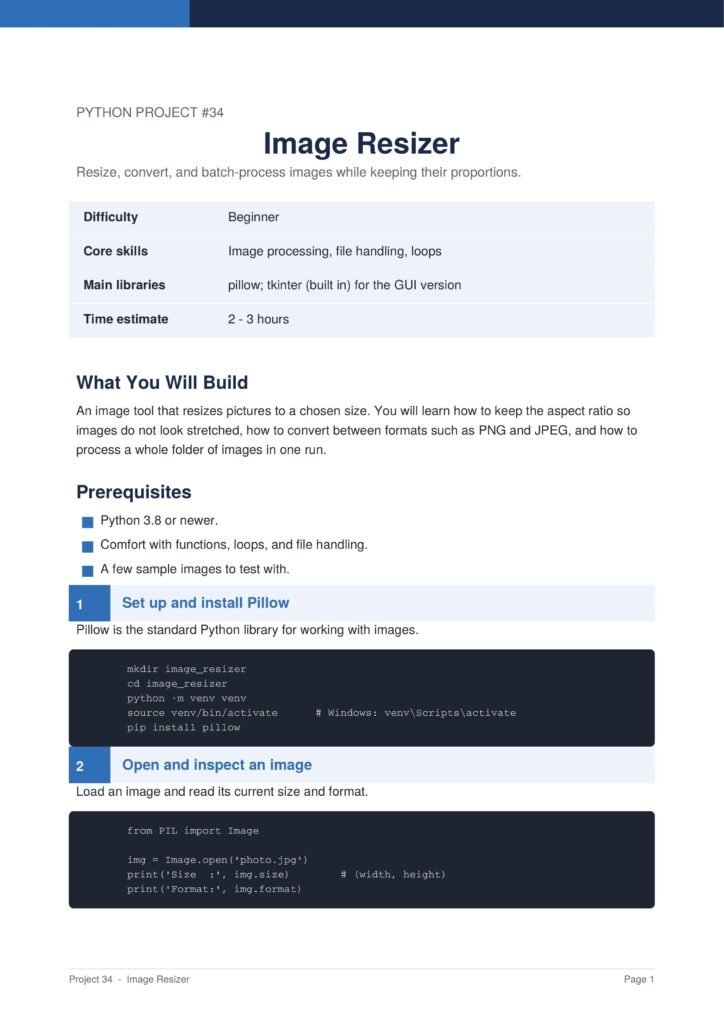
The project uses the Pillow library, the standard tool for image processing in Python.
The Content Of The Document
a. Installing Pillow
The guide begins by installing the Pillow library, which gives Python powerful image-handling abilities.
b. Opening and Resizing One Image
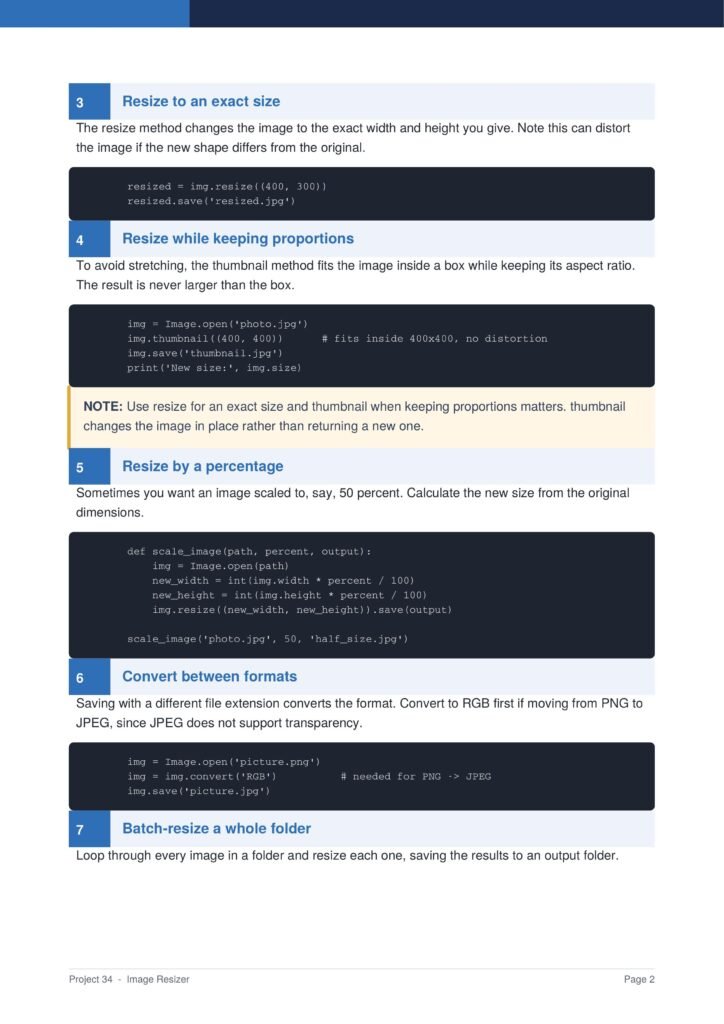
You learn how to open an image, change its size, and save the result as a new file.
c. Keeping the Aspect Ratio
The document shows how to resize images without stretching them by keeping their original proportions.
d. Processing a Whole Folder
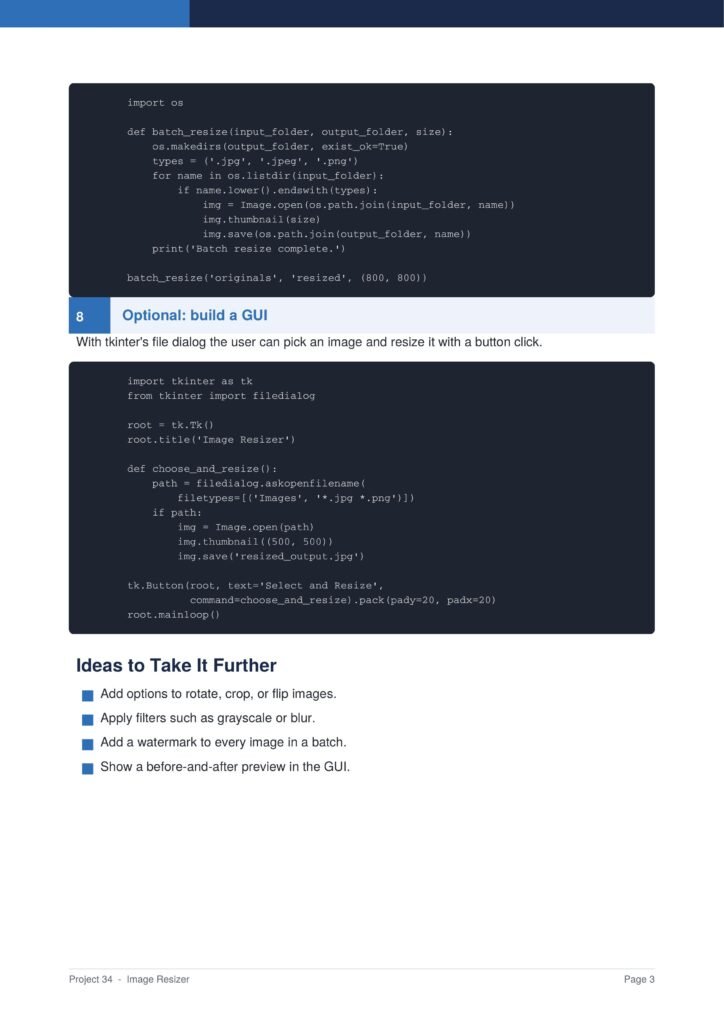
You learn how to loop through every image in a folder and resize them all in one run.
e. Saving to an Output Folder
The guide shows how to save the resized images into a separate output folder so the originals are kept safe.
Why This Document
a. Real Time-Saving Automation
This document is valuable because it teaches real automation that saves time on a common, repetitive task.
b. Introduces Image Processing
The guide introduces image processing with Pillow, opening the door to many other image projects.
c. Safe Working Practices
By saving to a separate folder, the project teaches the safe habit of never overwriting your original files.
Conclusion
The “Image Resizer” project is a practical introduction to image processing and automation. By following the guide, you learn how to install Pillow, resize images, keep the aspect ratio, process a whole folder, and save the results safely. The result is a real tool that saves you time. If you want a project that teaches useful image skills, this clear step-by-step guide is an excellent choice.
Download From The Below Link
To start building your own image resizer today, you can download the Image Resizer PDF guide and follow every step at your own pace. Happy coding!