Simulating dice rolls is a simple yet fascinating project that teaches randomness and loops with Python. It is short, fun, and surprisingly rich once you add dice faces and statistics.
This guide, titled “Rolling Dice Simulator,” walks you step by step through building a program that rolls one or more dice, draws their faces in text, and collects roll statistics.


Overview of The Document
The Rolling Dice Simulator guide is a beginner-friendly tutorial that takes you from an empty file to a working dice simulator. It is written in clear, plain English and organized into eight focused steps.
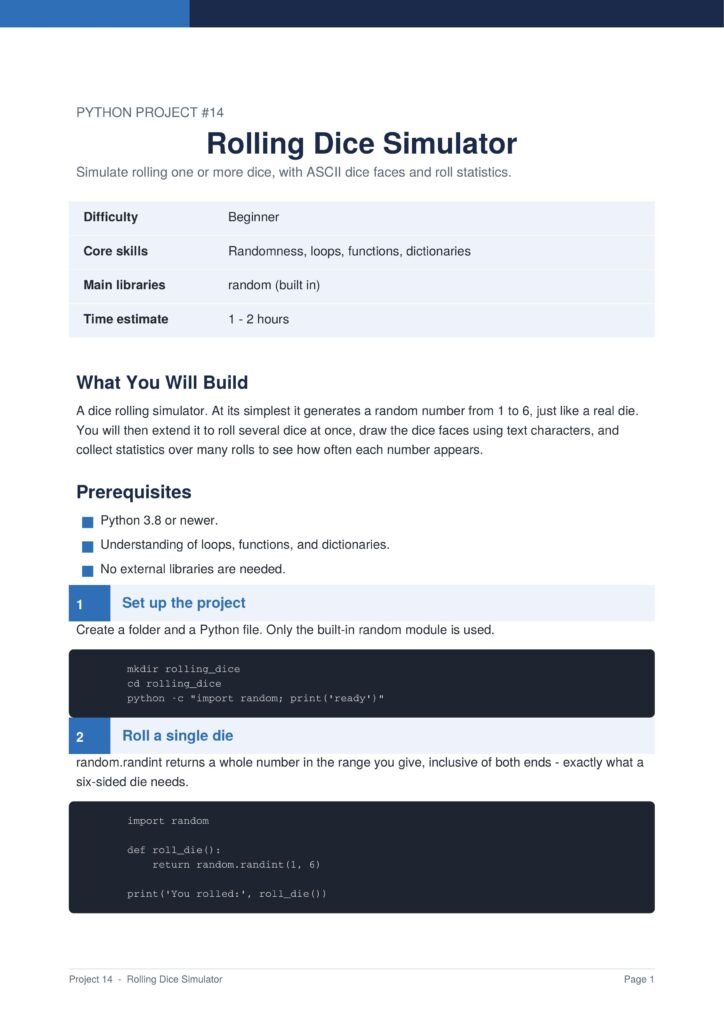
The project uses only Python’s built-in random module, making it an accessible and quick win for new programmers.
The Content Of The Document
a. Rolling a Single Die
The guide begins by using random numbers to roll a single die, returning a value between one and six.
b. Rolling Several Dice
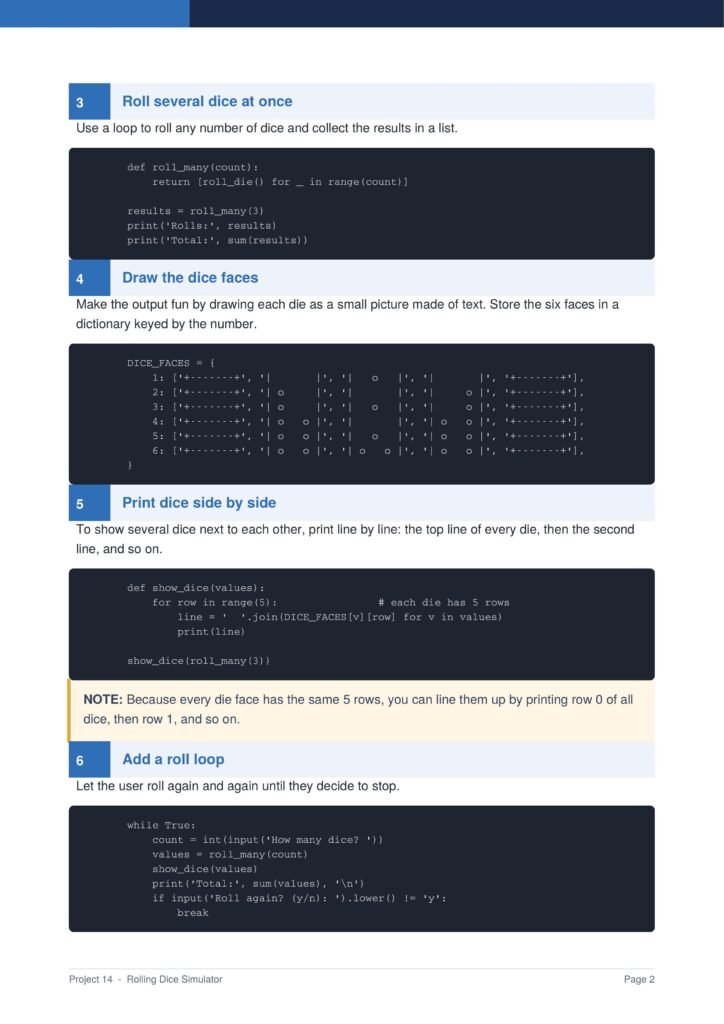
You learn how to use a loop to roll any number of dice at once and collect the results in a list.
c. Drawing the Dice Faces
The document shows how to draw each die as a small picture made of text and print several dice side by side.
d. Adding a Roll Loop
You learn how to let the user keep rolling again and again until they decide to stop the program.
e. Collecting Statistics
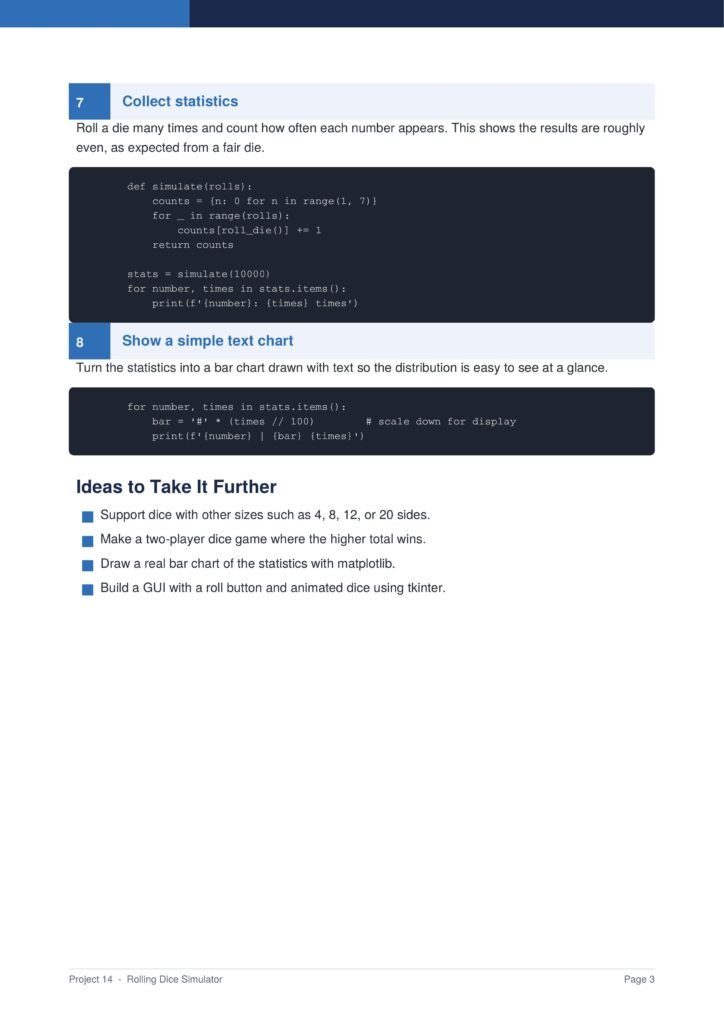
The guide shows how to roll a die many times, count how often each number appears, and display a simple text chart.
Why This Document
a. Teaches Randomness
This document is valuable because it teaches how randomness works in programming through a clear and visual project.
b. Introduces Statistics
The statistics section gently introduces the idea of counting outcomes and seeing how a fair die behaves over many rolls.
c. Short and Visual
The project is short, visual, and rewarding, making it a great way to build confidence with loops and functions.
Conclusion
The “Rolling Dice Simulator” project is a fun and educational way to practise randomness and loops. By following the guide, you learn how to roll dice, draw their faces in text, build a roll loop, and collect statistics. The result is an interactive simulator with a real sense of chance. If you want a short and visual beginner project, this clear step-by-step guide is an excellent choice.
Download From The Below Link
To start building your own rolling dice simulator today, you can download the Rolling Dice Simulator PDF guide and follow every step at your own pace. Happy coding!