Measuring typing speed is a fun and practical idea that turns into an excellent learning project when built with Python. It teaches timing, string handling, and simple arithmetic, all wrapped in a project that gives instant, satisfying results.
This guide, titled “Typing Speed Test,” walks you step by step through building a program that records how fast and how accurately a user types, then reports the result in words per minute.

Overview of The Document
The Typing Speed Test guide is a beginner-to-intermediate tutorial that takes you from an empty file to a working typing test. It is written in clear, plain English and organized into eight focused steps.
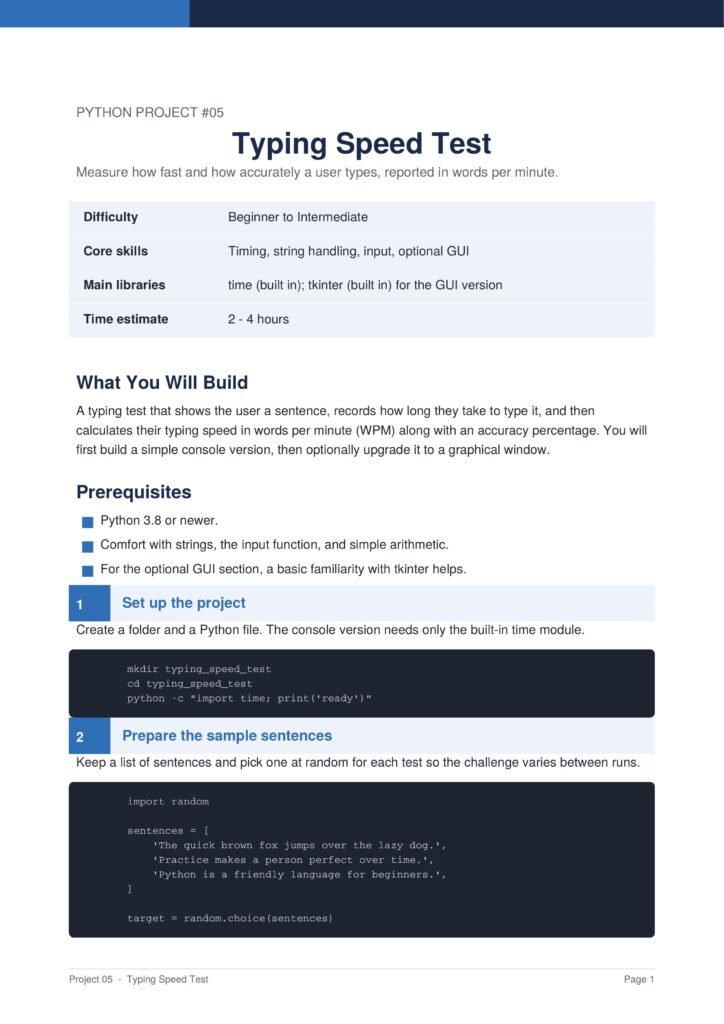
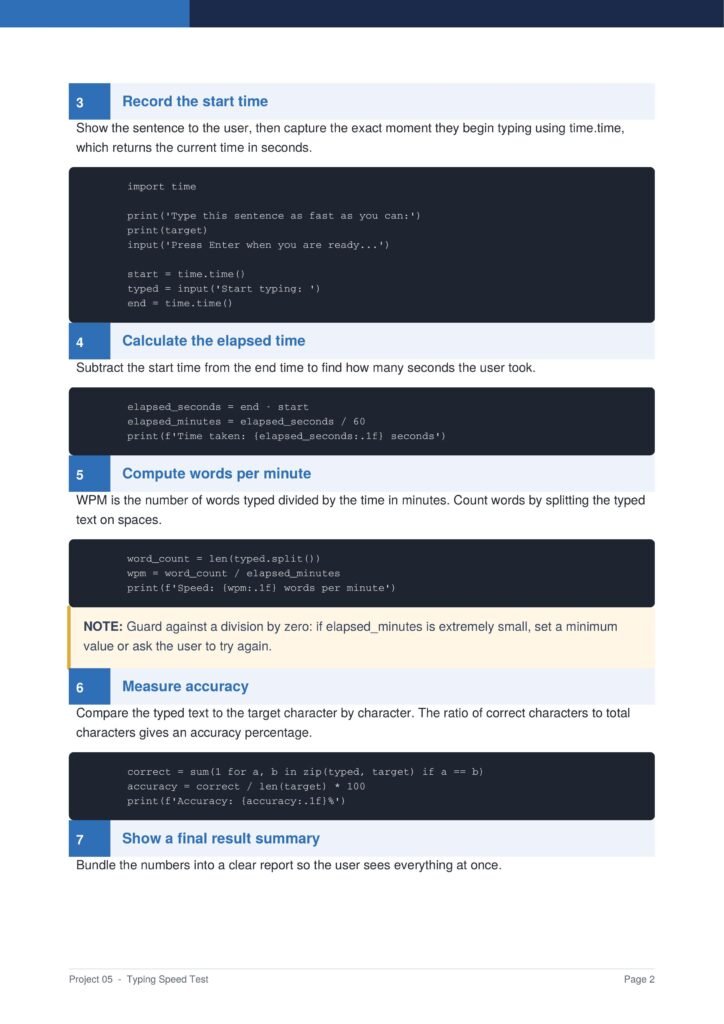
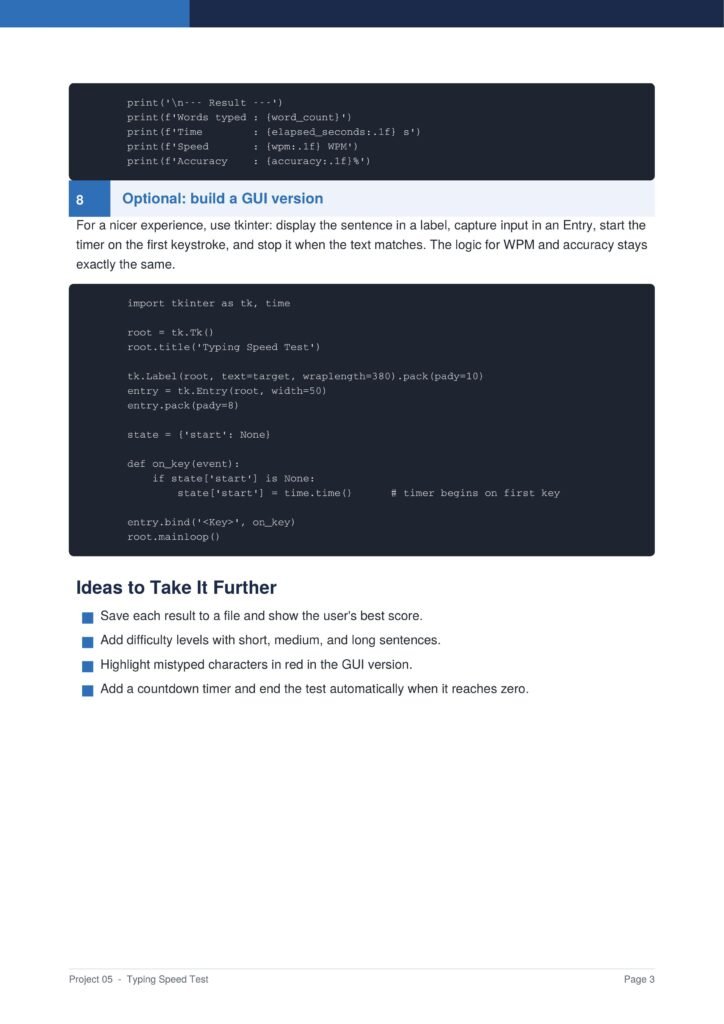
The guide first builds a simple console version, then optionally upgrades it to a graphical window, so you see both approaches to the same problem.
The Content Of The Document
a. Preparing the Sample Sentences
The guide begins by keeping a list of sentences and picking one at random for each test, so the challenge varies between runs.
b. Recording the Time
You learn how to capture the exact moment the user begins typing and the moment they finish, using Python’s built-in time functions.
c. Calculating Words Per Minute
The document explains how to count the words typed and divide by the elapsed time in minutes to produce the words-per-minute speed.
d. Measuring Accuracy
You learn how to compare the typed text to the target sentence character by character to calculate an accuracy percentage.
e. Building a GUI Version
The guide shows how to optionally upgrade the project into a graphical window with tkinter, while keeping the speed and accuracy logic the same.
Why This Document
a. Instant, Rewarding Results
This document is valuable because it produces instant, rewarding results that keep beginners motivated while they learn core programming concepts.
b. Teaches Timing and Strings
The guide teaches timing, string comparison, and arithmetic, skills that appear in many future projects, and explains each step clearly before showing the code.
c. Two Versions in One
By building both a console and a graphical version, you learn how the same logic can power different interfaces, a valuable lesson for any developer.
Conclusion
The “Typing Speed Test” is a fun and practical project that teaches genuine programming skills. By following the guide, you learn how to work with timing, handle and compare strings, perform calculations, and optionally build a graphical interface. The result is an interactive program that measures both speed and accuracy. If you want an engaging project that delivers instant results while teaching solid fundamentals, this clear step-by-step guide is an excellent choice.
Download From The Below Link
To start building your own typing speed test today, you can download the Typing Speed Test PDF guide and follow every step at your own pace. Happy coding!